Character & Movie-Inspired Face Swaps
Try your chosen face in an original character or movie-inspired scene. Explore different casting ideas for a short-film concept, story pitch, or dramatic portrait.
Download & Cast Your CharacterSwap faces in photos and videos with the person or character you choose. Explore fresh looks, reimagine roles, and create content for stories, social posts, and campaigns, then refine the result with simple instructions in MiniMax Design.
Download & Start Creating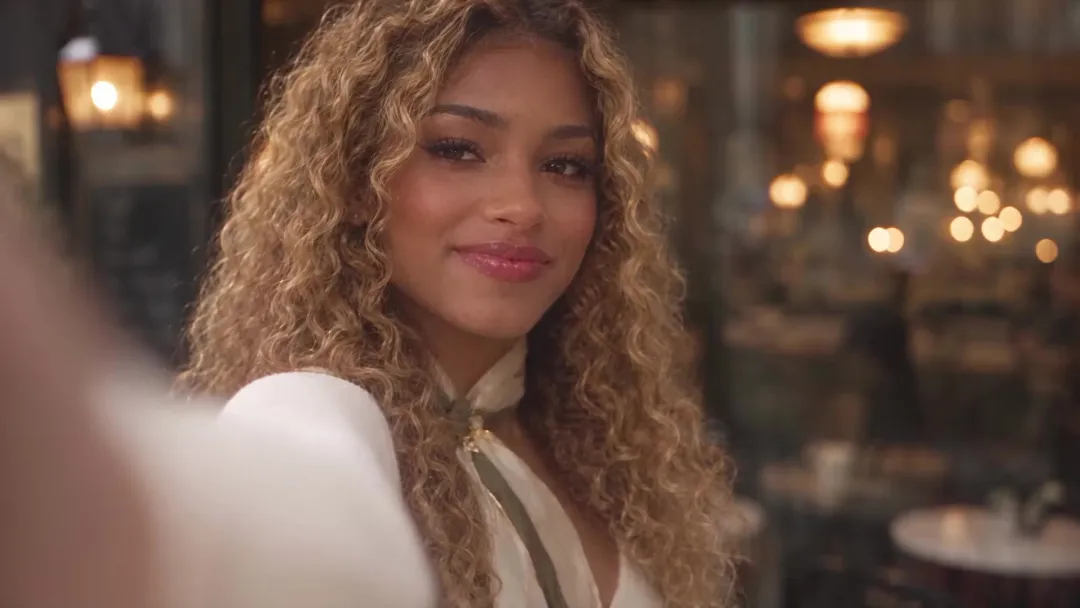
AI face swap uses a reference to replace a face in a photo or video. Choose who appears, describe what to change or preserve, and refine facial details, expressions, and how the person fits the scene.
Bring the person or character you have in mind into the picture. Use a chosen reference face to explore a new portrait, a different cast, or a fresh take on the same scene.
Tell MiniMax Design whose face to replace and what to keep. Describe the clothing, pose, and setting in your own words, or ask for creative suggestions to develop the idea.
Continue shaping the result in MiniMax Design. Ask for changes to expression, face edges, or lighting, then choose the version that fits your creative direction.
Put your chosen face into a new creative context. Explore photo face swaps for portraits, reaction images, social posts, and character concepts.
Try your chosen face in an original character or movie-inspired scene. Explore different casting ideas for a short-film concept, story pitch, or dramatic portrait.
Download & Cast Your CharacterBring your chosen face into a portrait, profile picture, or stylized photo. Explore editorial, vintage, and fantasy looks, then refine the result to suit the image you want to create.
Download & Create Your PortraitGive a meme or reaction image the face that fits the joke. Turn a chosen person or character into the focus of a playful image, then add your own caption or creative twist.
Download & Make Your Next MemeExplore a different face for a video thumbnail, story cover, or social post. Shape the expression and visual direction around the message you want your audience to notice.
Download & Reimagine Your ThumbnailTry different people within the same campaign concept. Use reference faces to explore casting and visual direction before developing the idea into a finished creative.
Download & Explore Your CampaignUse a chosen reference face to explore a character across storyboard scenes. Develop different expressions and moods, then refine each frame to bring it closer to the character you envision.
Download & Build Your StoryboardAdd your photo and a reference face, describe the swap, and refine your result in MiniMax Design.
Use Image A as the base and Image B as the face reference. Replace the face of the person on the right. Preserve the pose, expression, hair, clothing, and background. Match the scene’s lighting and perspective. Avoid changing other people or objects.
Adjust the person’s position and preservation requirements to match your image.
A clear reference and a few simple refinements can help your chosen face fit the picture. Use these tips as you create.
Choose a reference with clearly visible eyes, nose, mouth, and facial contours. Blur, strong filters, and obstructions make it harder to judge whether the result matches the intended character.
If a result needs refinement, try a reference with a similar head angle. This can make facial features easier to compare; it is a useful adjustment, not an extra setup step.
Check whether the eyes, mouth, and overall expression fit the role. A face can resemble the reference but still communicate the wrong emotion for the scene.
Compare the face with the neck, hands, and surrounding light. Conflicting shadows or color temperatures can make the replacement feel disconnected from the image.
Review the hairline, ears, jaw, clothing, and nearby objects. Check any text, logos, or product details that need to remain accurate.
Ask for one specific correction at a time, such as a face edge, expression, or lighting adjustment. Compare versions to see whether the next edit resolves the mismatch.
AI face swap uses a reference face to replace a face in a photo or video. Also called face replacement or a face changer, it helps you bring a chosen person or character into portraits, memes, stories, and other creative projects.
No. Use a reference of the person or original character you want in the picture. Add the photo to edit and the reference face, then tell MiniMax Design which face to replace. Use images and likenesses you have permission to edit.
Upload the photo and a reference face, identify the person to edit, and describe the swap. You can also ask MiniMax Design for creative suggestions. Refine the result with follow-up instructions before saving your image.
The reference guides the face you want to use. Results can vary with the images, instructions, and selected model, so an exact match is not guaranteed. Ask for a focused adjustment if a feature or expression needs more work.
Tell MiniMax Design which details to keep, such as the clothing, pose, and background. Review the result and request further adjustments where needed.
Describe the intended person clearly, such as “the person on the right,” and ask to keep the other people unchanged. This is a targeted editing request, not a promise of automatic multi-face swapping. Check the other faces when reviewing the result.
Use the same reference face to guide character exploration across portraits or storyboard images. Refine individual results to bring them closer to your chosen look; a reference does not automatically lock identity across every image.
You can use MiniMax Design for face swaps in photos and videos. Add your source media and a reference face, then describe the person to change and the details to preserve. The tutorial above shows the photo workflow; for video, also review movement and facial consistency throughout the clip.
Start by downloading the MiniMax Design desktop app using the buttons on this page. In the app, add your source media and reference face, describe the swap, and refine the result with follow-up instructions.
Review image quality and confirm that you have permission to use the source images and the person’s likeness. Make the edit clear where viewers could mistake it for an authentic event or endorsement. For commercial projects, check the applicable model terms and permissions.
Bring your photo and the face you want to use. Create a portrait, rework a meme, or explore a new character, then keep refining your idea in MiniMax Design.
Download & Create Your Face Swap